
Minecraft but someone is Blind, Mute, Deaf, and Crippled! (Disabilities)
Creator: KappaBlack · 2026-05-24 · Data packs · Free on Eaglercraft Studio
Download Minecraft but someone is Blind, Mute, Deaf, and Crippled! (Disabilitie — free Minecraft data pack. Created by KappaBlack. Tagged functions. Drop into your world’s datapacks folder when the archive is available.
Creator notes
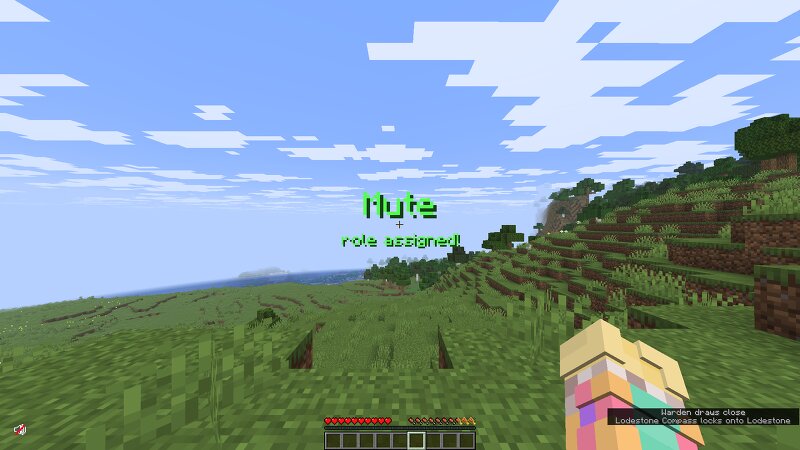
When downloading this, you'll notice two components. One folder named four_roles, and a file named blind. The file "blind" is a mandatory resource pack everyone must install; the folder "four_roles" is simply the datapack you install. Let me know on this page if you ever use it! I am interested to see if people enjoy this, as it's my first posted datapack.| Use.. /function roles:start to start the game, and if there are any problems and you'd like to reset everything, use /function roles:reset Blind - A custom iron helmet will be placed on your head, yes its sort of an advantage.. but iron is easy to get, and it's the only way to do this lol... a custom resource pack will be implemented, and you will be able to see ALMOST nothing. (I didn't want blind to have no fun haha.. You may change this by simply editing the resource pack. ) Mute - You are simply told to mute your mic; you may listen to others in the call. Deaf - A very loud noise commences as you get given your role, you are told to turn off your sound, and you must also lower everyone's volume in the call. YOU ARE ALLOWED TO SPEAK. You simply cannot hear others. Crippled - You are given slowness 4, paired with lots of weakn
Added value
What’s included on this page
Preview, categories, compatibility, and tools on this page — not a bare file mirror.
- Creator
- KappaBlack
- Source
- Minecraft downloads library on Eaglercraft Studio
- Type
- Minecraft data pack
- Price
- Free download on Eaglercraft Studio
- Curation
- Listed with credit to KappaBlack · studio preview & install guide
- Compatible with
- Minecraft Java (match version / loader in facts)
- Tags
- Functions
Install guide
How to install this free data pack
Data pack listing with creator credit and world-folder install steps.
- 1Download the datapack archive.
- 2Open your world folder → datapacks, and place the zip or folder there.
- 3Run /reload in-game (or reopen the world) to enable it.
Data packs are Java Edition. Match the pack’s game version to avoid broken recipes or worldgen.
Related free data packs
More curated data packs from the same library section.

MoisturePack · 75 diamonds · 6 views

ProGameBot · 46 diamonds · 3 views

sniffercraft34 · 46 diamonds · 1 views

sniffercraft34 · 45 diamonds · 648 views