
Minecraft, but you can FUSE ITEMS TOGETHER
Creator: Diamond_dev · 2025-11-23 · Data packs · Free on Eaglercraft Studio
Download Minecraft, but you can FUSE ITEMS TOGETHER — free Minecraft data pack. Created by Diamond_dev. Tagged functions, loot tables, other. Drop into your world’s datapacks folder when the archive is available.
Creator notes
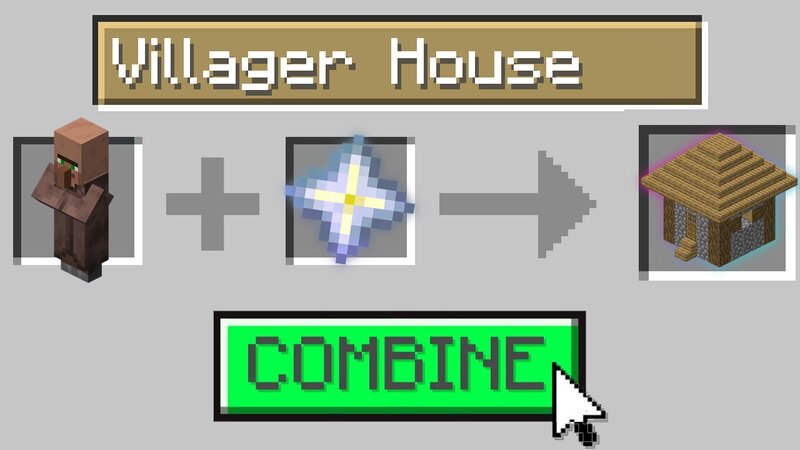
👀 Fuse items, get custom weapons, armor or even FOOD. To start you will need to create the machine shown down below. Once you do, thow any of the pairs of items lister below inside of the pistons and push the button to fuse the items together. 🔥This is a "sequel" to the Combine Items Together datapacks. The pairs you can combine: End Crystal + Amethyst Shard → Star Artefact Diamond Pickaxe + Lava Bucket → Lava Pickaxe Dirt + Oak Planks → Dirt Castle Dispenser + Apple → Food Spawner Redstone Block + Lapis Block → Magnet End Stone + TNT → End Bomb Anvil + Iron Block → Giant Anvil Bell + Emerald → Villager City Chest + Gold Block → Piggy Bank Bow + Ender Pearl → Gravity Bow 👍Enjoy the datapack, and thank you for playing ! Please leave credit if you plan to upload it to youtube. FAQ Q: What version of Minecraft is this datapack compatible with? A: This datapack is compatible with Minecraft version 1.21.4! Q: How do I install the datapack? A: Follow the instructions in this video to install the datapack: https://www.youtube.com/watch?v=KNxcgGpnn8Q Q: Do I need to install a resource pack in addition to the datapack? A: Yes, you will need to install the resource pack in order to use this
Added value
What’s included on this page
Preview, categories, compatibility, and tools on this page — not a bare file mirror.
- Creator
- Diamond_dev
- Source
- Minecraft downloads library on Eaglercraft Studio
- Type
- Minecraft data pack
- Price
- Free download on Eaglercraft Studio
- Curation
- Listed with credit to Diamond_dev · studio preview & install guide
- Compatible with
- Minecraft Java (match version / loader in facts)
- Tags
- Functions, Loot Tables, Other
Install guide
How to install this free data pack
Data pack listing with creator credit and world-folder install steps.
- 1Download the datapack archive.
- 2Open your world folder → datapacks, and place the zip or folder there.
- 3Run /reload in-game (or reopen the world) to enable it.
Data packs are Java Edition. Match the pack’s game version to avoid broken recipes or worldgen.
Related free data packs
More curated data packs from the same library section.

MoisturePack · 75 diamonds · 6 views

ProGameBot · 46 diamonds · 3 views

sniffercraft34 · 46 diamonds · 1 views

sniffercraft34 · 45 diamonds · 648 views