
Mobdrop Randomizer
Creator: EpicBuilderHD · 2026-02-08 · Data packs · Free on Eaglercraft Studio
Download Mobdrop Randomizer — free Minecraft data pack. Created by EpicBuilderHD. Tagged challenge, challenging, drop, drops. Drop into your world’s datapacks folder when the archive is available.
Creator notes
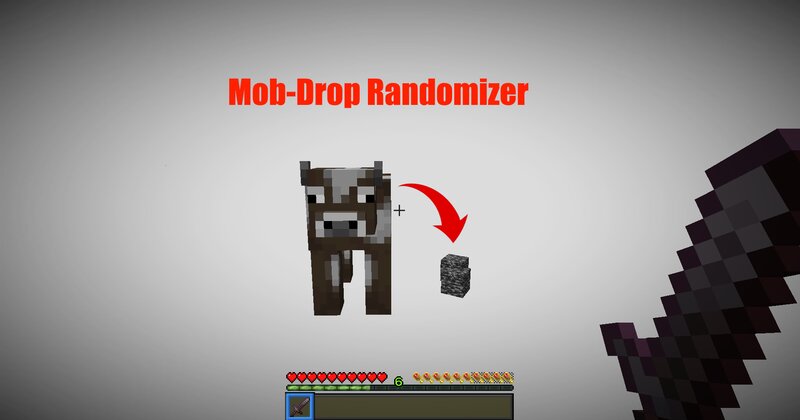
This datapack completely randomizes mob drops, making every fight unpredictable and every playthrough feel fresh. Zombies might drop diamonds. Chickens could give netherite scraps. Total chaos. Perfect for challenge runs, hardcore worlds, SMP servers, or content creators looking to spice things up. This datapack randomizes mobdrops after every reload, or you can lock randomization by using /trigger keepMobs so that it won't change randomization again. ✨ Features Fully randomized mob drops Fresh randomness every time you play Works in singleplayer & multiplayer Great for speedruns, challenges, and YouTube/Twitch content 📦 How It Works Every mob in the game has its normal drops replaced with random items from Minecraft’s item pool. You’ll never know what you’ll get—so every encounter matters. 📥 Installation Download the datapack Drop it into your world’s datapacks folder Type /reload or restart the world Have fun playing :D
Added value
What’s included on this page
Preview, categories, compatibility, and tools on this page — not a bare file mirror.
- Creator
- EpicBuilderHD
- Source
- Minecraft downloads library on Eaglercraft Studio
- Type
- Minecraft data pack
- Price
- Free download on Eaglercraft Studio
- Curation
- Listed with credit to EpicBuilderHD · studio preview & install guide
- Compatible with
- Minecraft Java (match version / loader in facts)
- Tags
- Challenge, Challenging, Drop, Drops, Epic, Epicbuilderhd
Install guide
How to install this free data pack
Data pack listing with creator credit and world-folder install steps.
- 1Download the datapack archive.
- 2Open your world folder → datapacks, and place the zip or folder there.
- 3Run /reload in-game (or reopen the world) to enable it.
Data packs are Java Edition. Match the pack’s game version to avoid broken recipes or worldgen.
Related free data packs
More curated data packs from the same library section.

MoisturePack · 75 diamonds · 6 views

ProGameBot · 46 diamonds · 3 views

sniffercraft34 · 46 diamonds · 1 views

sniffercraft34 · 45 diamonds · 648 views