
More mods in botany pots, 1.21.1+
Creator: Shadizar · 2026-04-17 · Data packs · Free on Eaglercraft Studio
Download More mods in botany pots, 1.21.1+ — free Minecraft data pack. Created by Shadizar. Tagged arselemental, arsnouveau, biomesoplenty, botanypots. Drop into your world’s datapacks folder when the archive is available.
Creator notes
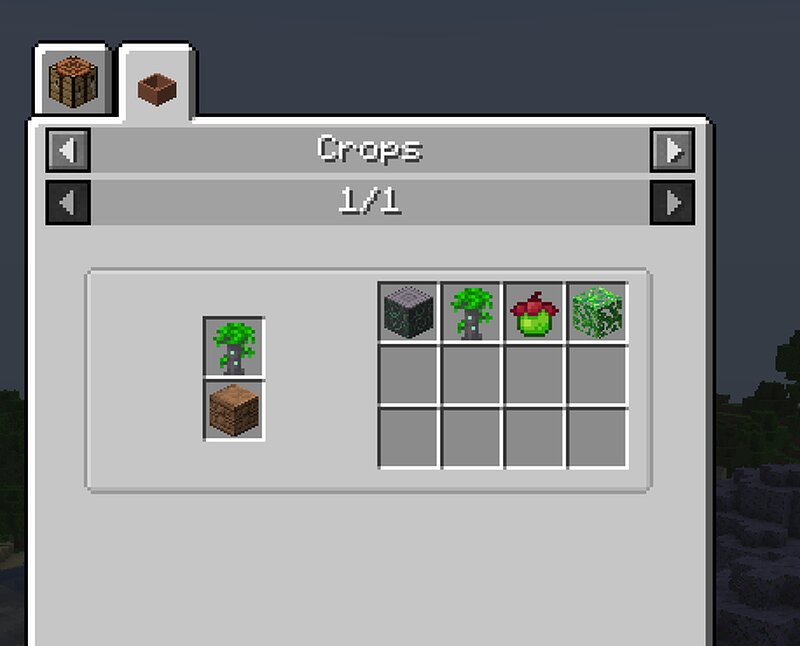
More mods in botany pots, by Shadizar (minecolonies items found online by another person, and used by permission). Biomes O Plenty Ars Nouveau Ars Elemental Minecolonies Permission is granted to include this as-is without changes, on servers or modpacks; all other usage, please assume aren't desirable unless we specifically agree otherwise. Important notes re: installing datapacks * Datapacks typically go in your world or save folder for a given world, in the folder named 'datapacks'. * Simply put the .zip file into that folder while the game/server is off, and it should be ready upon boot. * If you unzip the datapack you'd need to first create an empty folder in 'datapacks' (should be named the same as the zip file, minus the .zip extension), and unzip the contents into it. * Sometimes you might have a mod installed that lets you do 'global' datapacks instead of per-save/world. If so, adjust the above instructions as needed per the documentation for that mod. Feedback and information is available primarily at my Discord: https://discord.gg/hyHmYKxu6n
Added value
What’s included on this page
Preview, categories, compatibility, and tools on this page — not a bare file mirror.
- Creator
- Shadizar
- Source
- Minecraft downloads library on Eaglercraft Studio
- Type
- Minecraft data pack
- Price
- Free download on Eaglercraft Studio
- Curation
- Listed with credit to Shadizar · studio preview & install guide
- Compatible with
- Minecraft Java (match version / loader in facts)
- Tags
- Arselemental, Arsnouveau, Biomesoplenty, Botanypots, Botanytrees, Minecolonies
Install guide
How to install this free data pack
Data pack listing with creator credit and world-folder install steps.
- 1Download the datapack archive.
- 2Open your world folder → datapacks, and place the zip or folder there.
- 3Run /reload in-game (or reopen the world) to enable it.
Data packs are Java Edition. Match the pack’s game version to avoid broken recipes or worldgen.
Related free data packs
More curated data packs from the same library section.

MoisturePack · 75 diamonds · 6 views

ProGameBot · 46 diamonds · 3 views

sniffercraft34 · 46 diamonds · 1 views

sniffercraft34 · 45 diamonds · 648 views