
Multi Slab
Creator: Gazein · 2026-09-29 · Data packs · Free on Eaglercraft Studio
Download Multi Slab — free Minecraft data pack. Created by Gazein. Tagged block, dalle, dco, slab. Drop into your world’s datapacks folder when the archive is available.
Creator notes
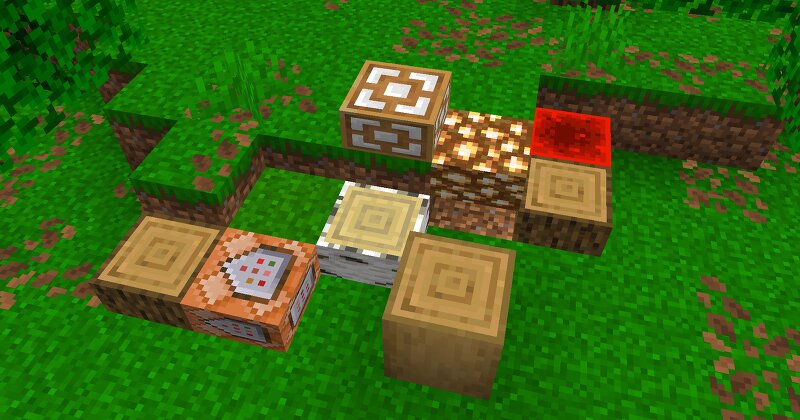
[ MULTI SLAB (BETA) ] Ever wanted to build with half-slabs made of dirt, diamond, or obsidian? Multi Slab lets you turn almost every full-sized block in Minecraft into a functional slab using the Stonecutter! ⚠️ Note: This project is currently in Beta . Please report any possible improvements and keep in mind that you may encounter bugs. ━━━━━━━━━━━━━━━━━━━━━━━━━━━━━━━━━━━━━━━━━━━━━━━━━━ 🛠️ HOW IT WORKS Crafting: Place any eligible full block into a Stonecutter to craft its slab equivalent. Inventory Visual: Slabs appear in your inventory as their base block with an enchanted glint effect. Placing Lower Slabs: Place the slab item directly on the ground like a normal lower slab. Placing Upper Slabs: To place a slab on the upper half of a block position: Place a standard vanilla slab on the bottom half first. Target and place your custom slab onto it. The custom slab will automatically break the temporary vanilla slab and position itself on the upper half. ━━━━━━━━━━━━━━━━━━━━━━━━━━━━━━━━━━━━━━━━━━━━━━━━━━ 💡 WHY DOWNLOAD THIS? 🧱 Expanded Building Palette: Add fine architectural details to your builds without needing complex modding frameworks. ⚡ Vanilla Compatible: Fully functional t
Added value
What’s included on this page
Preview, categories, compatibility, and tools on this page — not a bare file mirror.
- Creator
- Gazein
- Source
- Minecraft downloads library on Eaglercraft Studio
- Type
- Minecraft data pack
- Price
- Free download on Eaglercraft Studio
- Curation
- Listed with credit to Gazein · studio preview & install guide
- to version
- Minecraft 26.3 snapshot
- Compatible with
- Minecraft Java (match version / loader in facts)
- Tags
- Block, Dalle, Dco, Slab
Install guide
How to install this free data pack
Data pack listing with creator credit and world-folder install steps.
- 1Download the datapack archive.
- 2Open your world folder → datapacks, and place the zip or folder there.
- 3Run /reload in-game (or reopen the world) to enable it.
Data packs are Java Edition. Match the pack’s game version to avoid broken recipes or worldgen.
Related free data packs
More curated data packs from the same library section.

MoisturePack · 75 diamonds · 6 views

ProGameBot · 46 diamonds · 3 views

sniffercraft34 · 46 diamonds · 1 views

sniffercraft34 · 45 diamonds · 648 views