
Multidirectional Jigsaw Room Generator 1.21 & 26.3 snapshot
Creator: JP_gomes123 · 2026-09-27 · Data packs · Free on Eaglercraft Studio
Download Multidirectional Jigsaw Room Generator 1.21 & 26.3 snapshot — free Minecraft data pack. Created by JP_gomes123. Tagged other, structures. Drop into your world’s datapacks folder when the archive is available.
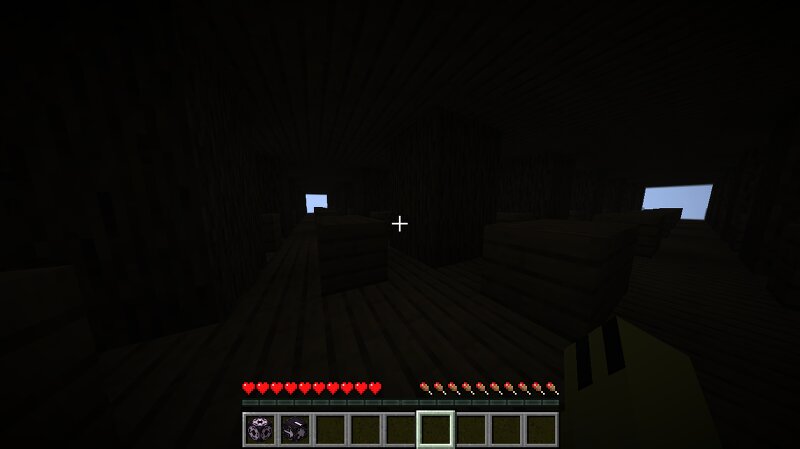
Creator notes
Generate infinitely expanding 3D wooden room mazes in any direction using Jigsaw Blocks! ### 🧱 Multidirectional Jigsaw Room Generator This datapack introduces a fully functional, self-replicating wooden room structure using Minecraft's **Jigsaw Block** system. Connect and expand structures seamlessly in all four cardinal directions (North, South, East, West) to create endless procedural mazes, dungeons, or custom bases! --- ### ⚙️ How to Use in Game: 1. Place the datapack `.zip` file inside your world's `datapacks` folder. 2. Run the `/reload` command in chat. 3. Place a **Jigsaw Block** (`/give @p jigsaw`) and open its GUI. 4. Configure the settings as follows: * **Target Pool:** `minha_casa:labirinto_pool` * **Name:** `minha_casa:conexao` * **Target Name:** `minha_casa:conexao` * **Levels:** Set your desired recursion depth (e.g., `5` or `7`). 5. Click **Generate**! --- ### 💻 Direct Command Alternative: If you prefer to generate the full structure network instantly via chat, simply run: ```text /place structure minha_casa:labirinto_estrutura ~ ~ ~ Fully tested and operational on Minecraft 1.21+ up to the latest 26.3 & 26.4+ snapshots .
Added value
What’s included on this page
Preview, categories, compatibility, and tools on this page — not a bare file mirror.
- Creator
- JP_gomes123
- Source
- Minecraft downloads library on Eaglercraft Studio
- Type
- Minecraft data pack
- Price
- Free download on Eaglercraft Studio
- Curation
- Listed with credit to JP_gomes123 · studio preview & install guide
- to version
- Minecraft 26.3 snapshot
- Compatible with
- Minecraft Java (match version / loader in facts)
- Tags
- Other, Structures
Install guide
How to install this free data pack
Data pack listing with creator credit and world-folder install steps.
- 1Download the datapack archive.
- 2Open your world folder → datapacks, and place the zip or folder there.
- 3Run /reload in-game (or reopen the world) to enable it.
Data packs are Java Edition. Match the pack’s game version to avoid broken recipes or worldgen.
Related free data packs
More curated data packs from the same library section.

MoisturePack · 75 diamonds · 6 views

ProGameBot · 46 diamonds · 3 views

sniffercraft34 · 46 diamonds · 1 views

sniffercraft34 · 45 diamonds · 648 views