
Paint's Piston Helper (26.2)
Creator: PaintTheFuture · 2025-12-27 · Data packs · Free on Eaglercraft Studio
Download Paint's Piston Helper (26.2) — free Minecraft data pack. Created by PaintTheFuture. Tagged functions, quality of life. Drop into your world’s datapacks folder when the archive is available.
Creator notes
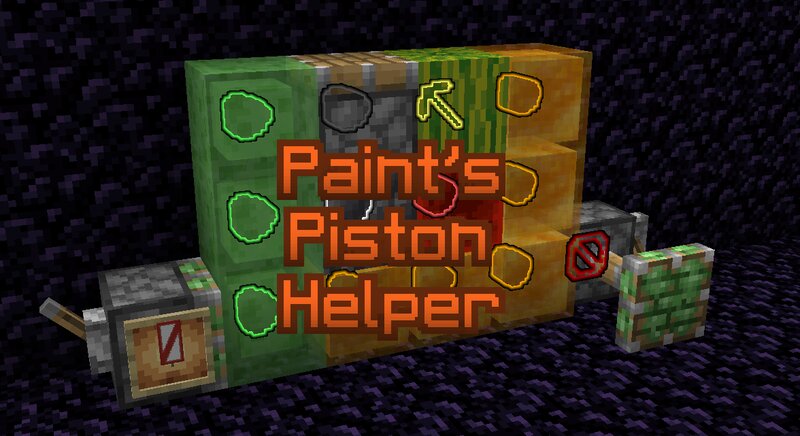
Place an item frame or glow item frame on a piston. You'll see a banner appear in it. These are the banners that can be displayed. White banners with a number means you can still add that many blocks without hitting the push limit. Red banners means you're over the limit by that many blocks. Plus signs means the number is at least 10. Green sawtooth means the piston is trying to move slime blocks. Yellow sawtooth means it's trying to move honey blocks. Red Ø : Piston is being jammed by a block that can't move, like bedrock, obsidian, or an extended piston. White ? on black banner : Helper is confused because it tried to calculate the exact tick the piston was moving. Appears for 2 ticks before recalculation. Red Ø over gray bricks and brown fess : The piston is trying to move itself. Piston with red triangle : Piston can't pull, either because it's a non-sticky piston, or the block can't be pulled. Blocks that can't be pulled are blocks that get mined with they are pushed, and glazed terracotta. If you use a glow item frame, all the blocks the piston is trying to move will be highlighted (max is 23). Dragon Egg : Orientation indicates direction it will be moved. White egg : Normal
Added value
What’s included on this page
Preview, categories, compatibility, and tools on this page — not a bare file mirror.
- Creator
- PaintTheFuture
- Source
- Minecraft downloads library on Eaglercraft Studio
- Type
- Minecraft data pack
- Price
- Free download on Eaglercraft Studio
- Curation
- Listed with credit to PaintTheFuture · studio preview & install guide
- Compatible with
- Minecraft Java (match version / loader in facts)
- Tags
- Functions, Quality Of Life
Install guide
How to install this free data pack
Data pack listing with creator credit and world-folder install steps.
- 1Download the datapack archive.
- 2Open your world folder → datapacks, and place the zip or folder there.
- 3Run /reload in-game (or reopen the world) to enable it.
Data packs are Java Edition. Match the pack’s game version to avoid broken recipes or worldgen.
Related free data packs
More curated data packs from the same library section.

MoisturePack · 75 diamonds · 6 views

ProGameBot · 46 diamonds · 3 views

sniffercraft34 · 46 diamonds · 1 views

sniffercraft34 · 45 diamonds · 648 views