
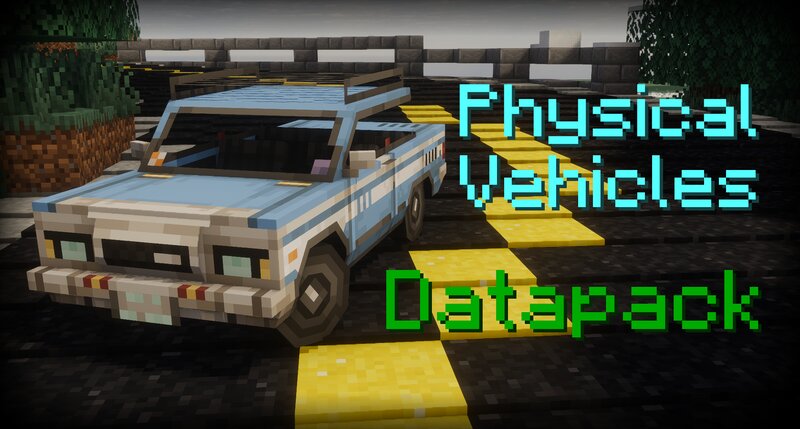
Physical Vehicles
Creator: Antoha256M · 2026-02-06 · Data packs · Free on Eaglercraft Studio
Download Physical Vehicles — free Minecraft data pack. Created by Antoha256M. Tagged accelerator, advancements, brake, cannon. Drop into your world’s datapacks folder when the archive is available.
Creator notes
Please know that the datapack is not adapted for survival at the moment. ⚙️ Installation For the datapack to WORK , you need to install the MIDWUT (click) core datapack! 📖 About This datapack is an engine that adds many mechanics to physical vehicles. It includes several vehicles by default and has add-on support. Mechanics included: A physical body on which forces can act, having linear and angular velocities and a quaternion of rotation. Vertex and Vertex-OBB collision. Sounds and their settings. Wheels with suspension. Tire simulation using the Pacejka magic formula. Engine with RPM, gearbox with gear ratios. Seats with modifiers. Inheritance of part transformation by parts. Player input channels on the seats. Cannon and sight. Armor colliders with components. Vehicle Dashboard and User Settings. Driving cars without downloading: I have a MC server with all vehicle packs and an excellent processor. Join the discord server for more information in the `info-инфа` channel. MIDWUT Crafting Station In the MIDWUT Crafting Station, you will find the main datapack tab and the pack tabs (if installed). Some vehicles have their own tabs with all the skins. For the ZAZ-968, you can select
Added value
What’s included on this page
Preview, categories, compatibility, and tools on this page — not a bare file mirror.
- Creator
- Antoha256M
- Source
- Minecraft downloads library on Eaglercraft Studio
- Type
- Minecraft data pack
- Price
- Free download on Eaglercraft Studio
- Curation
- Listed with credit to Antoha256M · studio preview & install guide
- Compatible with
- Minecraft Java (match version / loader in facts)
- Tags
- Accelerator, Advancements, Brake, Cannon, Car, Cars
Install guide
How to install this free data pack
Data pack listing with creator credit and world-folder install steps.
- 1Download the datapack archive.
- 2Open your world folder → datapacks, and place the zip or folder there.
- 3Run /reload in-game (or reopen the world) to enable it.
Data packs are Java Edition. Match the pack’s game version to avoid broken recipes or worldgen.
Related free data packs
More curated data packs from the same library section.

MoisturePack · 75 diamonds · 6 views

ProGameBot · 46 diamonds · 3 views

sniffercraft34 · 46 diamonds · 1 views

sniffercraft34 · 45 diamonds · 648 views