
Prisma Craft 2.1
Creator: BigSTy · 2026-02-28 · Data packs · Free on Eaglercraft Studio
Download Prisma Craft 2.1 — free Minecraft data pack. Created by BigSTy. Tagged advancements, adventure, armor, armortrim. Drop into your world’s datapacks folder when the archive is available.
Creator notes
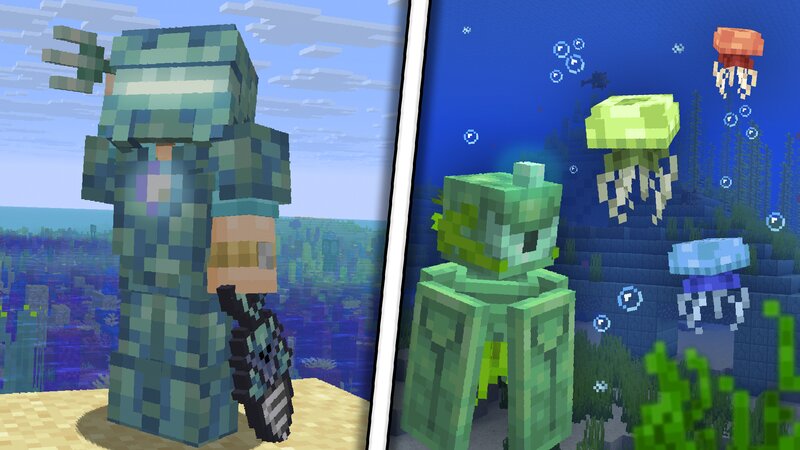
💡Main idea Prismarine in the game is a rather interesting material, with a dungeon, several mobs, and even a whole lore. However, crafting a few blocks is all that ends... To improve the functionality of prismarine, this datapack was developed! Now you can craft new tools, armor, blocks, and decorations from prismarine. Fishing mechanics have also been improved, as well as the loot list. Along with this, quite a few new structures and even mechanics have been added. ✨Main changes and innovations - Items while fishing have been improved. - Added spearfishing mechanics. - Added several interesting mobs. - Added many interesting underwater structures. - Thanks to the Sea Workbench, you can craft Prismarine tools. - Another miniboss has been added to the Monument. 📚WIKI You can get all the information you need from the book that fishermen sell in the villages. Along with this, the project has its own WIKIpedia with all the details and without ads. WIKI is only translated into Russian, but you can use Google's website translator. 🆘Important information THE ENTIRE DATAPACK HAS BEEN TRANSLATED INTO 3 LANGUAGES : English, Ukrainian, Russian. Translation works depending on the selected lang
Added value
What’s included on this page
Preview, categories, compatibility, and tools on this page — not a bare file mirror.
- Creator
- BigSTy
- Source
- Minecraft downloads library on Eaglercraft Studio
- Type
- Minecraft data pack
- Price
- Free download on Eaglercraft Studio
- Curation
- Listed with credit to BigSTy · studio preview & install guide
- Compatible with
- Minecraft Java (match version / loader in facts)
- Tags
- Advancements, Adventure, Armor, Armortrim, Bigsty, Crafts
Install guide
How to install this free data pack
Data pack listing with creator credit and world-folder install steps.
- 1Download the datapack archive.
- 2Open your world folder → datapacks, and place the zip or folder there.
- 3Run /reload in-game (or reopen the world) to enable it.
Data packs are Java Edition. Match the pack’s game version to avoid broken recipes or worldgen.
Related free data packs
More curated data packs from the same library section.

MoisturePack · 75 diamonds · 6 views

ProGameBot · 46 diamonds · 3 views

sniffercraft34 · 46 diamonds · 1 views

sniffercraft34 · 45 diamonds · 648 views