
🔀 Random Bubble Block (Vanilla Datapack 1.21.11)
Creator: Heykikoo · 2026-03-07 · Data packs · Free on Eaglercraft Studio
Download 🔀 Random Bubble Block (Vanilla Datapack 1.21.11) — free Minecraft data pack. Created by Heykikoo. Tagged challenge, datapack, functions, game mechanic. Drop into your world’s datapacks folder when the archive is available.
Creator notes
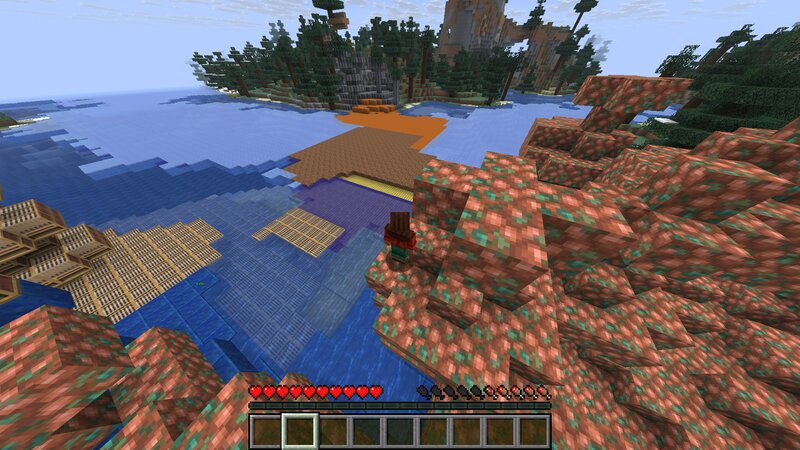
🔄 Update – Version 1.2 Changes in this update: 09.03.26 ✔ Added new blocks to the random block pool ✔ Fixed several bugs This datapack creates an invisible bubble around the player that constantly transforms the world. As you move through the world, a hidden bubble follows the player. Inside this bubble, the terrain is regenerated using a random block from a predefined list . Every 16 blocks of movement , the area around the player is updated again, causing the environment to continuously change while exploring. This creates a chaotic and unpredictable survival experience where the world is constantly reshaped around you. ⚠️ Performance Notice This datapack modifies blocks dynamically while you explore the world. Because of this, it can be performance intensive , especially when moving quickly through new areas or playing on lower-end hardware. The datapack has already been optimized to reduce lag as much as possible , but some performance impact may still occur depending on: exploration speed server performance multiplayer usage world size If you experience lag, try slowing down exploration or using it in singleplayer. 💡 Alternative Versions If you are interested in: an even faste
Added value
What’s included on this page
Preview, categories, compatibility, and tools on this page — not a bare file mirror.
- Creator
- Heykikoo
- Source
- Minecraft downloads library on Eaglercraft Studio
- Type
- Minecraft data pack
- Price
- Free download on Eaglercraft Studio
- Curation
- Listed with credit to Heykikoo · studio preview & install guide
- Compatible with
- Minecraft Java (match version / loader in facts)
- Tags
- Challenge, Datapack, Functions, Game Mechanic, Minecraft, Random
Install guide
How to install this free data pack
Data pack listing with creator credit and world-folder install steps.
- 1Download the datapack archive.
- 2Open your world folder → datapacks, and place the zip or folder there.
- 3Run /reload in-game (or reopen the world) to enable it.
Data packs are Java Edition. Match the pack’s game version to avoid broken recipes or worldgen.
Related free data packs
More curated data packs from the same library section.

MoisturePack · 75 diamonds · 6 views

ProGameBot · 46 diamonds · 3 views

sniffercraft34 · 46 diamonds · 1 views

sniffercraft34 · 45 diamonds · 648 views