
Rising HEAT
Creator: Wangle · 2025-12-05 · Data packs · Free on Eaglercraft Studio
Download Rising HEAT — free Minecraft data pack. Created by Wangle. Tagged classic, minigame, optimized, other. Drop into your world’s datapacks folder when the archive is available.
Creator notes
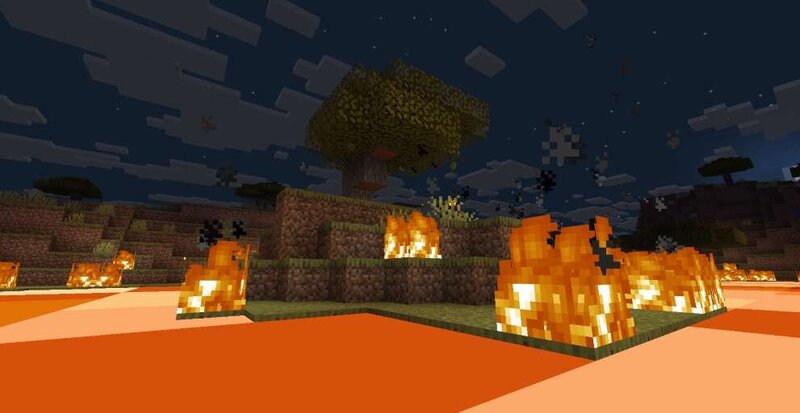
Rising HEAT Lava Rising is a datapack to bring back the classic without lag or world borders. The mod uses display entities to render the lava, instead of placing the blocks manually. it also moves the block display per person, so it can run with full functionality without any world board with as many players* This creates a smooth, lag-free experience. By default, the lava uses the Shroomlight texture so it is not animated. Currently, there is no in-game way to change the texture. But it may be added in a future update, in game or through an optional texture pack. Starting the game Starting the game requires one command /function rising_heat:startgame {Time:60,Rate:30,Respawns:3} Time is the amount of time till lava starts, measured in Seconds The rate is its speed 30 is slow 10 is average 1 is to screw Jeff Respawns are self-explanatory Extra commands World boarder options (must be activated before start of game) /function rising_heat:misc/worldboarder {start:500,finish:80,time:60} Lava Rate (mid game) /scoreboard players set rate calc ~ Note: -the lava gets fast the higher it is then slows down near the top of the world -This will "break" your world after -There are no PvP optio
Added value
What’s included on this page
Preview, categories, compatibility, and tools on this page — not a bare file mirror.
- Creator
- Wangle
- Source
- Minecraft downloads library on Eaglercraft Studio
- Type
- Minecraft data pack
- Price
- Free download on Eaglercraft Studio
- Curation
- Listed with credit to Wangle · studio preview & install guide
- to version
- Minecraft 1.21
- Compatible with
- Minecraft Java (match version / loader in facts)
- Tags
- Classic, Minigame, Optimized, Other
Install guide
How to install this free data pack
Data pack listing with creator credit and world-folder install steps.
- 1Download the datapack archive.
- 2Open your world folder → datapacks, and place the zip or folder there.
- 3Run /reload in-game (or reopen the world) to enable it.
Data packs are Java Edition. Match the pack’s game version to avoid broken recipes or worldgen.
Related free data packs
More curated data packs from the same library section.

MoisturePack · 75 diamonds · 6 views

ProGameBot · 46 diamonds · 3 views

sniffercraft34 · 46 diamonds · 1 views

sniffercraft34 · 45 diamonds · 648 views