
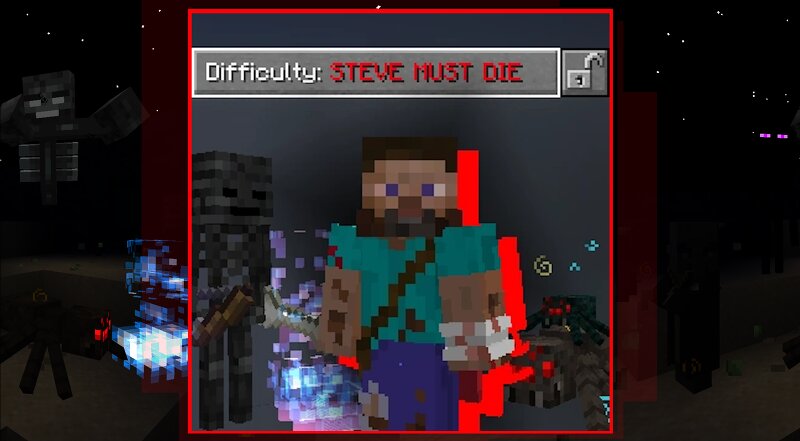
STEVE MUST DIE difficulty
Creator: DagSP · 2026-06-11 · Data packs · Free on Eaglercraft Studio
Download STEVE MUST DIE difficulty — free Minecraft data pack. Created by DagSP. Tagged but, difficulty, functions, gamemode. Drop into your world’s datapacks folder when the archive is available.
Creator notes
Focuses on a much harder Vanilla Survival experience. Not only by making mobs stronger or more resistant, but adding new mechanics and unique twists. Also letting you progress slightly faster (if you're skilled enough) LIST OF CHANGES: please consider English is not my first language. Dimension Changes: Overworld Lava is as fast as Nether Lava. Overworld now allows Absolute Darkness, this means caves are now pitch black. Night is now darker and stars are brighter. Nether is now darker and more foggy. End is also darker Glow Lichen is much harder to find as it only spawns on top of Andesite. Monsters no longer burn in Sunlight Night Vision effect in the Overworld now has a bright green tint just like Night vision goggles. Mob Changes: All Undead that can wear equipment will spawn with their equipment upgraded. Leather Armor -> Copper Armor Copper Armor -> Iron Armor Iron Armor -> Diamond Armor Gold Armor -> Diamond Armor Chainmail Armor -> Enchanted with Protection IV, Thorns III, Unbreaking III Iron Weapon -> Diamond Weapon All Zombie types have 1/2 chance to spawn as Zombie Leaders (spawn_reinforcement = 1). All Zombie types move faster (movement_speed 0.23 -> 0.3) Husk empty hand
Added value
What’s included on this page
Preview, categories, compatibility, and tools on this page — not a bare file mirror.
- Creator
- DagSP
- Source
- Minecraft downloads library on Eaglercraft Studio
- Type
- Minecraft data pack
- Price
- Free download on Eaglercraft Studio
- Curation
- Listed with credit to DagSP · studio preview & install guide
- Compatible with
- Minecraft Java (match version / loader in facts)
- Tags
- But, Difficulty, Functions, Gamemode, Hardcore, Minecraft
Install guide
How to install this free data pack
Data pack listing with creator credit and world-folder install steps.
- 1Download the datapack archive.
- 2Open your world folder → datapacks, and place the zip or folder there.
- 3Run /reload in-game (or reopen the world) to enable it.
Data packs are Java Edition. Match the pack’s game version to avoid broken recipes or worldgen.
Related free data packs
More curated data packs from the same library section.

MoisturePack · 75 diamonds · 6 views

ProGameBot · 46 diamonds · 3 views

sniffercraft34 · 46 diamonds · 1 views

sniffercraft34 · 45 diamonds · 648 views