
The Bramble
Creator: Braytonk · 2026-01-21 · Data packs · Free on Eaglercraft Studio
Download The Bramble — free Minecraft data pack. Created by Braytonk. Tagged mob, structure, structures. Drop into your world’s datapacks folder when the archive is available.
Creator notes
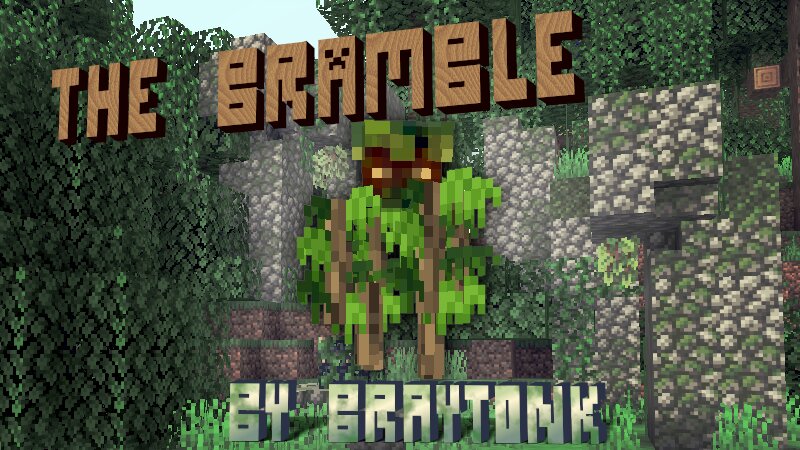
The Bramble This datapack adds a custom earth-themed mob that is desinged to be vanilla-friendly in the vein of the blaze and the breeze. The bramble provides a unique parkour-based combat experience—do you have the platforming skill to take it down? The bramble has the following behaviors: The bramble will steadily float upwards as you fight, and will float more when damaged. The bramble places temporary leaf blocks that you must climb to reach the bramble. The bramble attacks by throwing a poisonous azalea bush into the air. You need to move before it lands! The bramble slowly descends when not in combat. The bramble can be encountered in the following ways: Summoned via the command /function keeb_mob_bramble:summon The bramble appears in the henge structure, which generates in old growth forests, jungles, and dark forests. The structure can also be located via the command /locate structure keeb_struc_bramble:henge Using the Bramble If you want to use the bramble in your own structures/datapacks/whatever feel free to do so, and here is what you will need: If you want just the mob and not the structure, there is a Mob-Only version of the datapack modrinth.com/datapack/bramble . To
Added value
What’s included on this page
Preview, categories, compatibility, and tools on this page — not a bare file mirror.
- Creator
- Braytonk
- Source
- Minecraft downloads library on Eaglercraft Studio
- Type
- Minecraft data pack
- Price
- Free download on Eaglercraft Studio
- Curation
- Listed with credit to Braytonk · studio preview & install guide
- to version
- Minecraft 26.1
- Compatible with
- Minecraft Java (match version / loader in facts)
- Tags
- Mob, Structure, Structures
Install guide
How to install this free data pack
Data pack listing with creator credit and world-folder install steps.
- 1Download the datapack archive.
- 2Open your world folder → datapacks, and place the zip or folder there.
- 3Run /reload in-game (or reopen the world) to enable it.
Data packs are Java Edition. Match the pack’s game version to avoid broken recipes or worldgen.
Related free data packs
More curated data packs from the same library section.

MoisturePack · 75 diamonds · 6 views

ProGameBot · 46 diamonds · 3 views

sniffercraft34 · 46 diamonds · 1 views

sniffercraft34 · 45 diamonds · 648 views