
Transform Into Ghost
Creator: xerneas02 · 2026-06-18 · Data packs · Free on Eaglercraft Studio
Download Transform Into Ghost — free Minecraft data pack. Created by xerneas02. Tagged function, functions, ghost, hideandseek. Drop into your world’s datapacks folder when the archive is available.
Creator notes
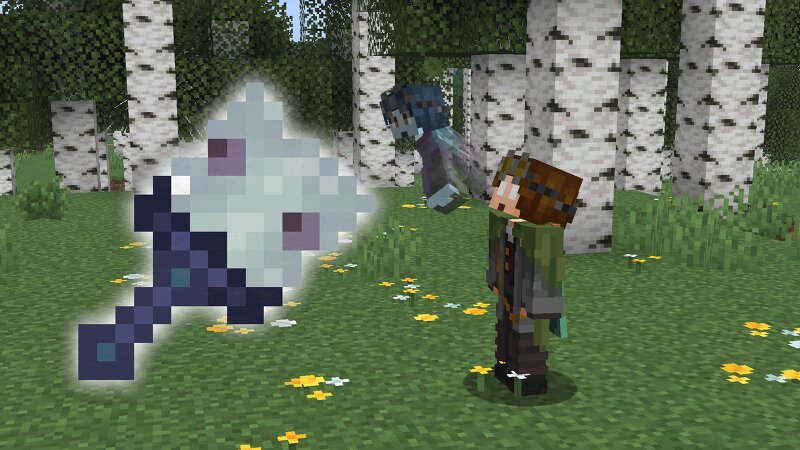
👻 Transform Into Ghost Transform Into Ghost is a small data pack that lets you leave your body behind and move around as a ghost. It was made to be compatible with the latest versions of: 🔵 Transform Into Mobs https://www.planetminecraft.com/data-pack/transform-into-mobs/ 🟡 Transform Into Blocks https://www.planetminecraft.com/data-pack/transform-into-blocks/ 🗺️ Made for Hide and Seek This data pack was originally created for my Hide and Seek map: https://www.planetminecraft.com/project/hide-and-seek-1-20-4-3-modes-normal-block-hunt-mob/ The idea is to let hiders watch the game while they are hidden. Instead of being stuck inside their disguise or unable to see what is happening, they can leave their body, move around as a ghost, and still keep their hiding spot in the world. 🪄 How to get the stick Use this command: /function transformintoghost:get_stick Then right click with the stick to enter ghost mode. Your body will stay in the world as a mannequin, and you will be moved into spectator mode. To return to your body, just move back to it. ⚙️ Options You can choose if the item in your hands should be copied to the mannequin. Copy held items: /scoreboard players set copy_held_item
Added value
What’s included on this page
Preview, categories, compatibility, and tools on this page — not a bare file mirror.
- Creator
- xerneas02
- Source
- Minecraft downloads library on Eaglercraft Studio
- Type
- Minecraft data pack
- Price
- Free download on Eaglercraft Studio
- Curation
- Listed with credit to xerneas02 · studio preview & install guide
- Compatible with
- Minecraft Java (match version / loader in facts)
- Tags
- Function, Functions, Ghost, Hideandseek, Hiding, Mannequin
Install guide
How to install this free data pack
Data pack listing with creator credit and world-folder install steps.
- 1Download the datapack archive.
- 2Open your world folder → datapacks, and place the zip or folder there.
- 3Run /reload in-game (or reopen the world) to enable it.
Data packs are Java Edition. Match the pack’s game version to avoid broken recipes or worldgen.
Related free data packs
More curated data packs from the same library section.

MoisturePack · 75 diamonds · 6 views

ProGameBot · 46 diamonds · 3 views

sniffercraft34 · 46 diamonds · 1 views

sniffercraft34 · 45 diamonds · 648 views