
Undermagic II - Progression Expansion Reborn
Creator: Hashs · 2026-01-20 · Data packs · Free on Eaglercraft Studio
Download Undermagic II - Progression Expansion Reborn — free Minecraft data pack. Created by Hashs. Tagged armor, boss, bow, demon. Drop into your world’s datapacks folder when the archive is available.
Creator notes
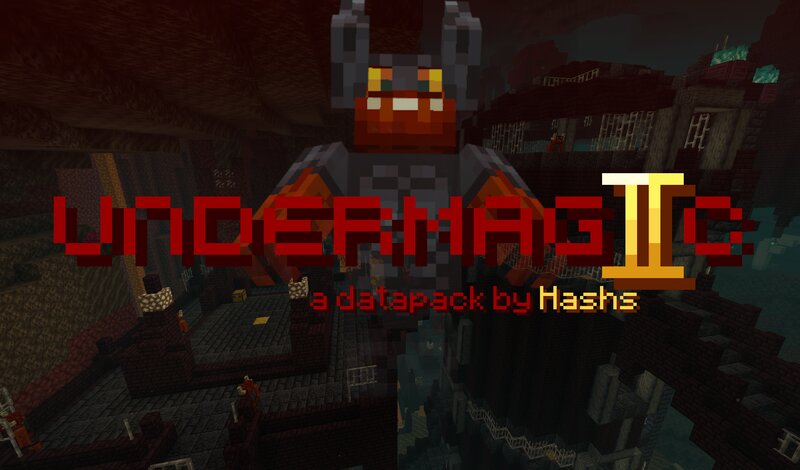
Undermagic II is a datapack that expands the progression of the game with unique new gear and challenging boss fights. Inspired heavily by the Calamity Mod, this pack is a re-imagining of the original from 2019 and is currently in an early release state. - Raid the Demonic Keeps, new Nether structures housing fearsome Demons - 5 unique weapons: swords, spears, bows, and projectile melee for a wide variety of playstyles - New armor set with unique properties - Obtain items through expanded progression, from diamond sidegrades to new vanilla boss drops and beyond - An intense boss battle against Demon General Maxon; intended to be challenging but fair, configurable via the world difficulty - Complete in-game guidance via the Demonomicon (obtain by entering the Nether for the first time, or use /trigger um2.demonomicon to read) This is an early release. There is much more to come, including both new and returning content... Join my Discord server for discussion and any support needs. I love to hear what you have to say! This pack uses the Smithed Crafter library by rx, Nexus, and many others. You do not need a seperate download, it's included in the files. Thanks to them! Most textur
Added value
What’s included on this page
Preview, categories, compatibility, and tools on this page — not a bare file mirror.
- Creator
- Hashs
- Source
- Minecraft downloads library on Eaglercraft Studio
- Type
- Minecraft data pack
- Price
- Free download on Eaglercraft Studio
- Curation
- Listed with credit to Hashs · studio preview & install guide
- Compatible with
- Minecraft Java (match version / loader in facts)
- Tags
- Armor, Boss, Bow, Demon, Difficult, Difficulty
Install guide
How to install this free data pack
Data pack listing with creator credit and world-folder install steps.
- 1Download the datapack archive.
- 2Open your world folder → datapacks, and place the zip or folder there.
- 3Run /reload in-game (or reopen the world) to enable it.
Data packs are Java Edition. Match the pack’s game version to avoid broken recipes or worldgen.
Related free data packs
More curated data packs from the same library section.

MoisturePack · 75 diamonds · 6 views

ProGameBot · 46 diamonds · 3 views

sniffercraft34 · 46 diamonds · 1 views

sniffercraft34 · 45 diamonds · 648 views