
Vanilla Cit EARLY ALPHA TEST
Creator: Vnecoman16 · 2026-04-30 · Data packs · Free on Eaglercraft Studio
Download Vanilla Cit EARLY ALPHA TEST — free Minecraft data pack. Created by Vnecoman16. Tagged 2d, 3d, alpha, ancient. Drop into your world’s datapacks folder when the archive is available.
Creator notes
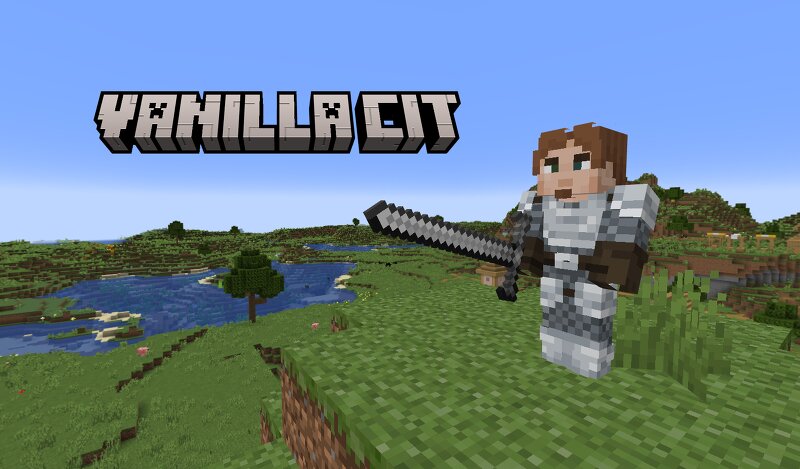
CIT Vanilla is a specialized datapack designed to replicate the functionality of "Custom Item Textures" without the need for OptiFine or the CIT Resewn mod. By leveraging modern Minecraft mechanics, it allows for unique item visuals and specialized gear designs directly in the base game. Please note that this project is currently in early alpha and will remain under active development over the coming months to expand its features and stability. Credits Special thanks and full credit to Motschen , the creator of Spartan Weaponry , for the assets provided for this project. Their work has been instrumental in the development of these visual README Diamond Axe (diamond_axe): Rename to "Diamond Halberd". Rename to "Diamond Longsword". Rename to "Diamond Waraxe". Diamond Sword (diamond_sword): Rename to "Diamond Saber". Iron Axe (iron_axe): Rename to "Iron Halberd". Rename to "Iron Longsword". Iron Sword (iron_sword): Rename to "Iron Saber". Netherite Sword (iron_sword) Rename to "Netherite Saber" Netherite Axe (netherite_axe): Rename to "Netherite Halberd". Rename to "Netherite Waraxe". Rename to "Netherite Longsword".
Added value
What’s included on this page
Preview, categories, compatibility, and tools on this page — not a bare file mirror.
- Creator
- Vnecoman16
- Source
- Minecraft downloads library on Eaglercraft Studio
- Type
- Minecraft data pack
- Price
- Free download on Eaglercraft Studio
- Curation
- Listed with credit to Vnecoman16 · studio preview & install guide
- to version
- Minecraft 26.1
- Compatible with
- Minecraft Java (match version / loader in facts)
- Tags
- 2d, 3d, Alpha, Ancient, Ancientage, Beta
Install guide
How to install this free data pack
Data pack listing with creator credit and world-folder install steps.
- 1Download the datapack archive.
- 2Open your world folder → datapacks, and place the zip or folder there.
- 3Run /reload in-game (or reopen the world) to enable it.
Data packs are Java Edition. Match the pack’s game version to avoid broken recipes or worldgen.
Related free data packs
More curated data packs from the same library section.

MoisturePack · 75 diamonds · 6 views

ProGameBot · 46 diamonds · 3 views

sniffercraft34 · 46 diamonds · 1 views

sniffercraft34 · 45 diamonds · 648 views