
Vanity Armor
Creator: FancyPotatOS · 2025-11-25 · Data packs · Free on Eaglercraft Studio
Download Vanity Armor — free Minecraft data pack. Created by FancyPotatOS. Tagged appearance, armor, cauldron, cosmetic. Drop into your world’s datapacks folder when the archive is available.
Creator notes
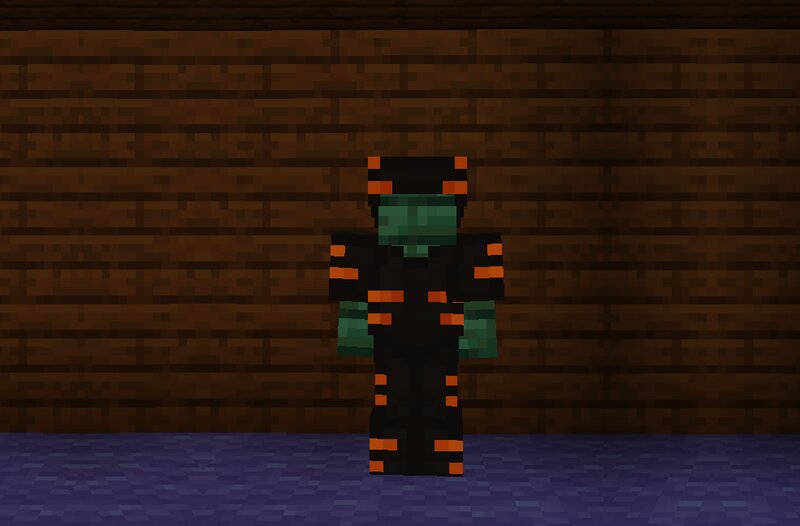
Adds the ability to visually turn your armor into whatever armor pieces you want! Enjoy the power of netherite while wearing dyed armor, or trick your friends into thinking your are weaker than you let on! Resource Pack Due to technical reasons, this datapack now requires a resource pack for Skulls and Heads. I've included two resource packs: Original, and Improved Original The original resource pack just adds a fix to make skulls and heads display properly if they are Vanity armor pieces. Improved The improved resource pack fixes the skulls and heads. It changes the Vanity armor pieces to juuuuust cover the player's skin, preventing them from making the player's head look huge. The last image of the slide show gives a visual comparison. How To Use Rename the target vanity armor piece to " vanity " in the anvil. Throw the vanity piece and the target armor piece into a water cauldron. When you hear bubbling, then the armor piece has been successfully overwritten Note that if you want trims to appear, you'll actually need to put it on the original armor piece, not the vanity one! Failsafe There is no operator-less feature to undo a vanity change, however there is a function you can r
Added value
What’s included on this page
Preview, categories, compatibility, and tools on this page — not a bare file mirror.
- Creator
- FancyPotatOS
- Source
- Minecraft downloads library on Eaglercraft Studio
- Type
- Minecraft data pack
- Price
- Free download on Eaglercraft Studio
- Curation
- Listed with credit to FancyPotatOS · studio preview & install guide
- to version
- Minecraft 26.2
- Compatible with
- Minecraft Java (match version / loader in facts)
- Tags
- Appearance, Armor, Cauldron, Cosmetic, Design, Dye
Install guide
How to install this free data pack
Data pack listing with creator credit and world-folder install steps.
- 1Download the datapack archive.
- 2Open your world folder → datapacks, and place the zip or folder there.
- 3Run /reload in-game (or reopen the world) to enable it.
Data packs are Java Edition. Match the pack’s game version to avoid broken recipes or worldgen.
Related free data packs
More curated data packs from the same library section.

MoisturePack · 75 diamonds · 6 views

ProGameBot · 46 diamonds · 3 views

sniffercraft34 · 46 diamonds · 1 views

sniffercraft34 · 45 diamonds · 648 views