
Villager Trade Checker
Creator: ShelfHead · 2026-03-06 · Data packs · Free on Eaglercraft Studio
Download Villager Trade Checker — free Minecraft data pack. Created by ShelfHead. Tagged functions, quality of life. Drop into your world’s datapacks folder when the archive is available.
Creator notes
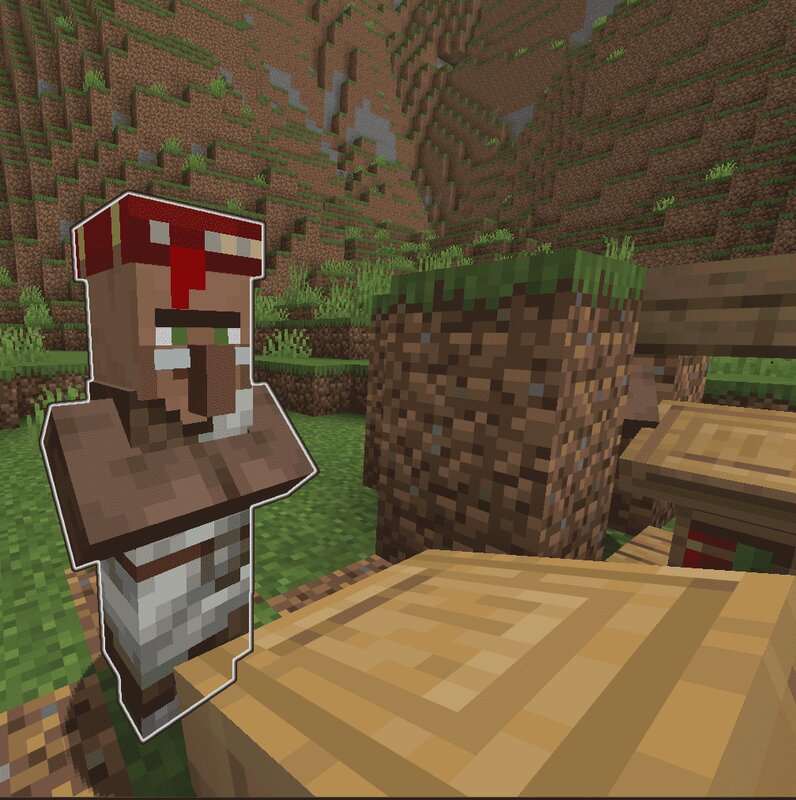
Short Overview This datapack can be used to easily check librarian villager trades without opening them each time. This pack can also be used to reset a villager completely. Command Overview /trigger vtc_enable : Pick the closest villager to you and enables it for use with the pack. The villager will start glowing. /trigger vtc_disable : Disables your enabled villager /trigger vtc_scan : If the enabled villager is/will be a librarian, makes it so that when it gets that job, it will output it's enchantment if it has it. /trigger vtc_menu : Opens the enchantment treshold menu. /trigger vtc_reset : Prepares the currently selected villager to be reset. Confirmation is needed. General Use At first, you will want to pick a villager by using /trigger vtc_enabled while standing close to your villager. When selected, it will start glowing. You can only select one villager at the time per person. You can now repeatedly give it a job and it will put his enchant in chat just for you. Setting a treshold If you want to receive a message for a (max level) enchant on top of the already existing ones, /trigger vtc_menu to open the menu. Here, you can choose which enchantment you want to show and un
Added value
What’s included on this page
Preview, categories, compatibility, and tools on this page — not a bare file mirror.
- Creator
- ShelfHead
- Source
- Minecraft downloads library on Eaglercraft Studio
- Type
- Minecraft data pack
- Price
- Free download on Eaglercraft Studio
- Curation
- Listed with credit to ShelfHead · studio preview & install guide
- Compatible with
- Minecraft Java (match version / loader in facts)
- Tags
- Functions, Quality Of Life
Install guide
How to install this free data pack
Data pack listing with creator credit and world-folder install steps.
- 1Download the datapack archive.
- 2Open your world folder → datapacks, and place the zip or folder there.
- 3Run /reload in-game (or reopen the world) to enable it.
Data packs are Java Edition. Match the pack’s game version to avoid broken recipes or worldgen.
Related free data packs
More curated data packs from the same library section.

MoisturePack · 75 diamonds · 6 views

ProGameBot · 46 diamonds · 3 views

sniffercraft34 · 46 diamonds · 1 views

sniffercraft34 · 45 diamonds · 648 views