
Void Particles
Creator: Holazas · 2026-03-23 · Data packs · Free on Eaglercraft Studio
Download Void Particles — free Minecraft data pack. Created by Holazas. Tagged 18features, again, back, bedrock. Drop into your world’s datapacks folder when the archive is available.
Creator notes
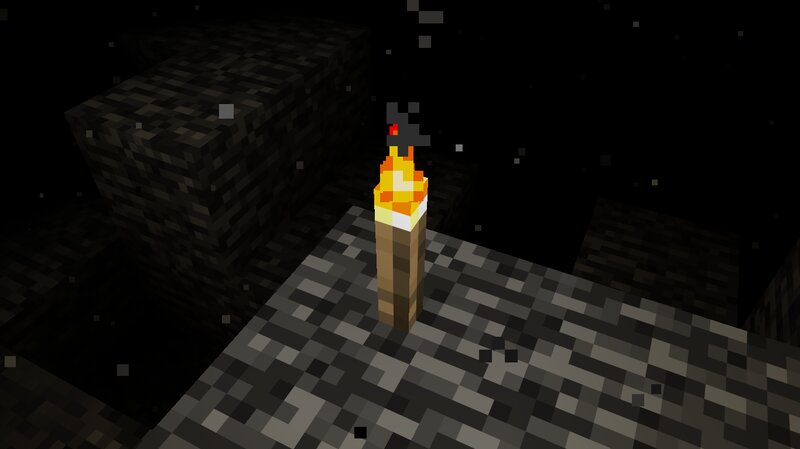
Minecraft's unOfficial Void Particles This datapack brings back the void fog from Minecraft 1.8 When a player crosses Y=-47, the fog of the void will begin to cover their vision; and when crossing Y=-59, the player will suffer Blindness, as they get very close to the edge of the world. This datapack executes the commands (particles & blindness) for each player within the area of effect (Y=-47 downwards). This could cause performance issues when multiple players are in the area of effect. To learn the basic commands of this datapack, the operator should use the following command: /function void_fog:help This data pack belongs to the Minecraft unOfficial Project . License This project is licensed under the GNU General Public License (GPL). You are free to use, copy, modify, and distribute this project. However, if you distribute modified versions, you must also release the source code and keep the same GPL license. This ensures that the project and all its derivatives remain free and open for everyone. SUPPORT ME BY CLICKING THIS ADVERTISEMENT
Added value
What’s included on this page
Preview, categories, compatibility, and tools on this page — not a bare file mirror.
- Creator
- Holazas
- Source
- Minecraft downloads library on Eaglercraft Studio
- Type
- Minecraft data pack
- Price
- Free download on Eaglercraft Studio
- Curation
- Listed with credit to Holazas · studio preview & install guide
- to version
- Minecraft 1.21
- Compatible with
- Minecraft Java (match version / loader in facts)
- Tags
- 18features, Again, Back, Bedrock, Bedrockfog, Bedrockparticles
Install guide
How to install this free data pack
Data pack listing with creator credit and world-folder install steps.
- 1Download the datapack archive.
- 2Open your world folder → datapacks, and place the zip or folder there.
- 3Run /reload in-game (or reopen the world) to enable it.
Data packs are Java Edition. Match the pack’s game version to avoid broken recipes or worldgen.
Related free data packs
More curated data packs from the same library section.

MoisturePack · 75 diamonds · 6 views

ProGameBot · 46 diamonds · 3 views

sniffercraft34 · 46 diamonds · 1 views

sniffercraft34 · 45 diamonds · 648 views