
WildCall: Companion & Mount Whistle
Creator: IsadG · 2026-08-29 · Data packs · Free on Eaglercraft Studio
Download WildCall: Companion & Mount Whistle — free Minecraft data pack. Created by IsadG. Tagged functions, other. Drop into your world’s datapacks folder when the archive is available.
Creator notes
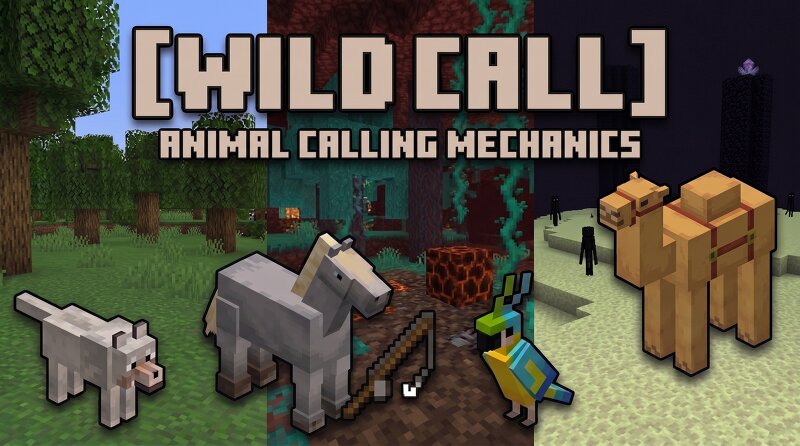
WildCall: Companion & Mount Whistle (v1.0.0) A simple, lightweight survival datapack to recall your bonded horses, wolves, cats, and parrots from across any dimension using a craftable whistle. Key Features Universal Pet & Mount Recall: Right-click the flute (or run /trigger whistle ) to summon all your bonded companions directly to you. Simple One-Drop Bonding: Throw the flute ( [Q] key) onto any horse or pet to toggle bonding on/off. You can also bond automatically just by riding your horse. Automatic Mounting: Instantly mounts you on your horse when called (can be toggled on/off in the chat menu). Auto-Unsit: Recalled dogs, cats, and parrots automatically stand up from sitting positions upon arrival. Cross-Dimensional Retrieval: 6-stage async chunk loader safely brings pets back from the Overworld, Nether, or End. Emergency Rescue: One-click emergency command to retrieve all your tamed pets across every dimension if they are lost. In-Game Chat GUI: Sneak + right-click with the flute (or type /trigger menu ) to configure audio cues, visual particles, range, and cooldown timers. ⚠️ Click to view Important Limitations & Technical Notes Chunk Loading Speed & Entity Detection: The d
Added value
What’s included on this page
Preview, categories, compatibility, and tools on this page — not a bare file mirror.
- Creator
- IsadG
- Source
- Minecraft downloads library on Eaglercraft Studio
- Type
- Minecraft data pack
- Price
- Free download on Eaglercraft Studio
- Curation
- Listed with credit to IsadG · studio preview & install guide
- to version
- Minecraft 26.3 snapshot
- Compatible with
- Minecraft Java (match version / loader in facts)
- Tags
- Functions, Other
Install guide
How to install this free data pack
Data pack listing with creator credit and world-folder install steps.
- 1Download the datapack archive.
- 2Open your world folder → datapacks, and place the zip or folder there.
- 3Run /reload in-game (or reopen the world) to enable it.
Data packs are Java Edition. Match the pack’s game version to avoid broken recipes or worldgen.
Related free data packs
More curated data packs from the same library section.

MoisturePack · 75 diamonds · 6 views

ProGameBot · 46 diamonds · 3 views

sniffercraft34 · 46 diamonds · 1 views

sniffercraft34 · 45 diamonds · 648 views