
XLII Architect Alpha 0.5.3 — PUBLIC TEST
Creator: OficinaXLII · 2026-08-13 · Data packs · Free on Eaglercraft Studio
Download XLII Architect Alpha 0.5.3 — PUBLIC TEST — free Minecraft data pack. Created by OficinaXLII. Tagged architect, building, buildingtool, creative. Drop into your world’s datapacks folder when the archive is available.
Creator notes
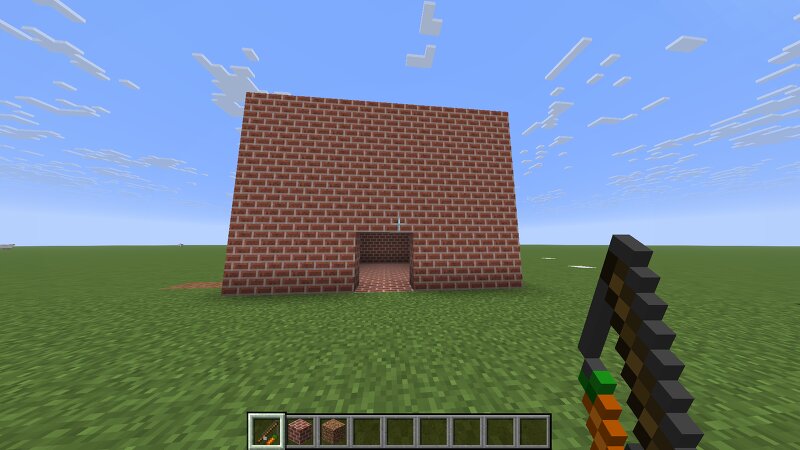
XLII Architect Alpha 0.5.3 — PUBLIC TEST XLII Architect is a creative building tool for Minecraft Java Edition, developed by Oficina XLII . This Public Alpha allows players to build and edit structures quickly using the Architect Wand , selecting Point A and Point B directly in the world. 🇵🇹 Português Principais funções WALL — cria paredes entre os pontos A e B HEIGHT — define a altura da construção FILL — preenche completamente o volume entre A e B ERASE — apaga blocos na área selecionada Material Picker — permite selecionar o material diretamente de um bloco Architect Wand — ferramenta própria para controlar as operações Como começar Instala o Data Pack no mundo. Entra no mundo e usa: /function xlii_architect:give_wand Usa a Architect Wand para marcar o Ponto A . Marca o Ponto B . Escolhe WALL, FILL ou ERASE. Define a altura quando necessário. Executa a operação com a Wand. Esta versão é uma Alpha pública para testes . Feedback, sugestões e relatórios de bugs são bem-vindos. 🇬🇧 English Main features WALL — creates walls between Point A and Point B HEIGHT — controls construction height FILL — fills the complete 3D volume between A and B ERASE — removes blocks inside the selected
Added value
What’s included on this page
Preview, categories, compatibility, and tools on this page — not a bare file mirror.
- Creator
- OficinaXLII
- Source
- Minecraft downloads library on Eaglercraft Studio
- Type
- Minecraft data pack
- Price
- Free download on Eaglercraft Studio
- Curation
- Listed with credit to OficinaXLII · studio preview & install guide
- Compatible with
- Minecraft Java (match version / loader in facts)
- Tags
- Architect, Building, Buildingtool, Creative, Fill, Functions
Install guide
How to install this free data pack
Data pack listing with creator credit and world-folder install steps.
- 1Download the datapack archive.
- 2Open your world folder → datapacks, and place the zip or folder there.
- 3Run /reload in-game (or reopen the world) to enable it.
Data packs are Java Edition. Match the pack’s game version to avoid broken recipes or worldgen.
Related free data packs
More curated data packs from the same library section.

MoisturePack · 75 diamonds · 6 views

ProGameBot · 46 diamonds · 3 views

sniffercraft34 · 46 diamonds · 1 views

sniffercraft34 · 45 diamonds · 648 views